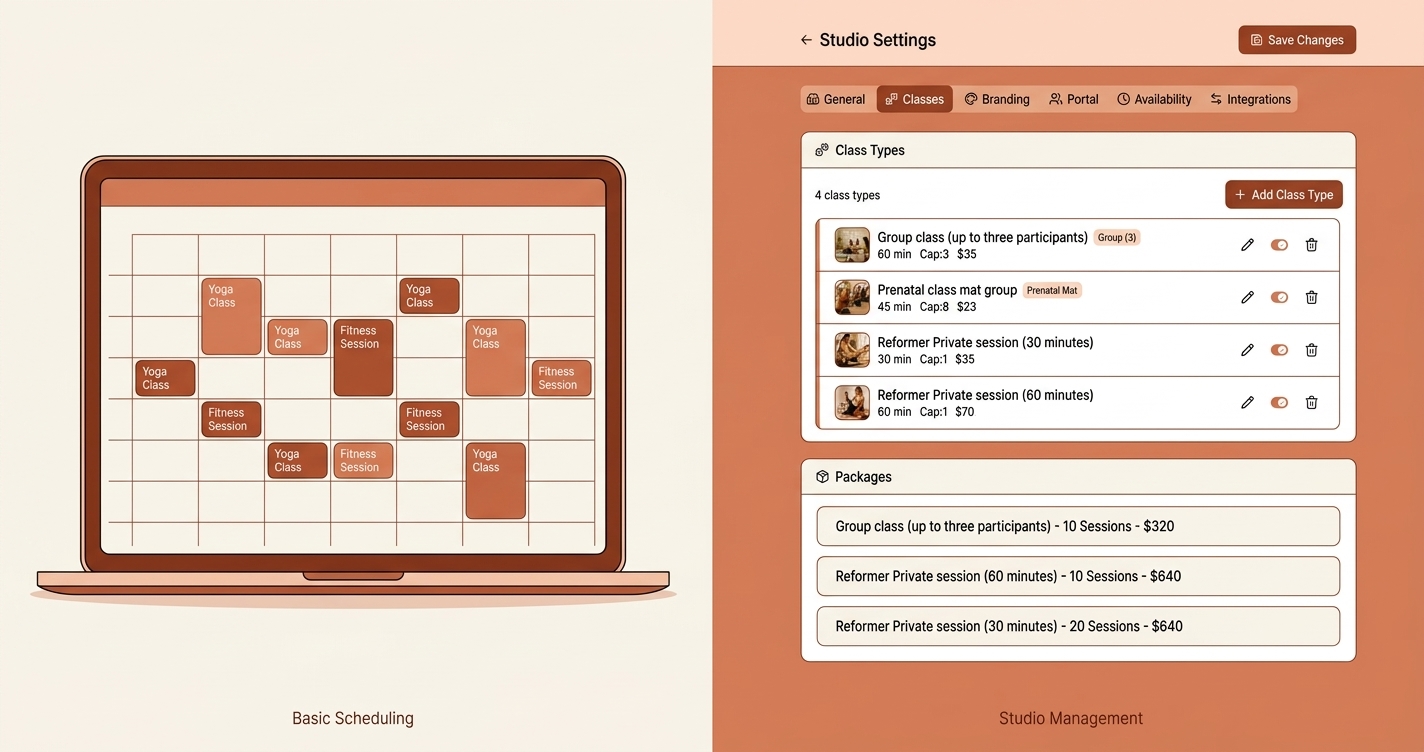
When Your Scheduling Tool Stops Keeping Up
Let's be clear about something up front: Acuity Scheduling is a genuinely good product. For solo practitioners taking one-on-one appointments, it does exactly what it promises. Clean calendar interface, solid client self-booking, and integrations that just work.
But if you run a Pilates, yoga, or fitness studio -- one where clients buy session packages, attend group classes, and pay you through a mix of Venmo, PayPal, credit cards, and the occasional check -- you've probably noticed the cracks forming. Acuity was built as a general-purpose scheduling tool. It was never designed to handle the operational complexity of a session-package-based studio.
Here are five signs that you've outgrown Acuity Scheduling, and what to look for in an alternative that's actually built for the way studios operate.
1. You're Tracking Packages Outside of Acuity
This is usually the first sign. A client buys a 10-session group package or a 4-session private package, and you need to track how many sessions they've used. Acuity has a "packages" feature, but it works through coupon codes rather than automatic tracking. Clients receive a code when they purchase a package and enter it at checkout to deduct a session. There's no consolidated view showing all clients' remaining balances, no automatic deduction when you book on a client's behalf, and no built-in low-balance alerts.
So you open a spreadsheet. Or a notebook. Or a note on your phone. You start writing things like "Sarah - started 10-pack Jan 15, used 4." Before long, you're maintaining a parallel system alongside Acuity, and that parallel system is where the real operational truth lives.
This matters because every minute you spend reconciling two systems is a minute you're not spending on your clients or your business. A purpose-built studio tool treats packages as a first-class concept -- tracking purchases, session usage, remaining balances, and expiration dates automatically as clients book and attend classes.
2. You Can't Easily See a Client's Remaining Sessions at a Glance
This is closely related to the first sign, but it deserves its own spotlight because of how often it comes up during the day-to-day of running a studio.
A client walks in and asks, "How many sessions do I have left?" In an ideal world, you'd glance at a screen and tell them instantly. With Acuity, you'd navigate to the client's profile, find their package code, and check the remaining count. The number is there, but there's no single dashboard showing all your clients' session balances side by side -- you have to look up each client individually.
Or worse: you don't know, so you tell them you'll check later. That tiny moment of friction erodes trust. Your clients are paying hundreds of dollars for packages. They deserve -- and expect -- that you know exactly where they stand.
Studio-specific software maintains a live count of remaining sessions per client, updated automatically every time they book, attend, cancel, or no-show. You should never have to calculate this number manually.
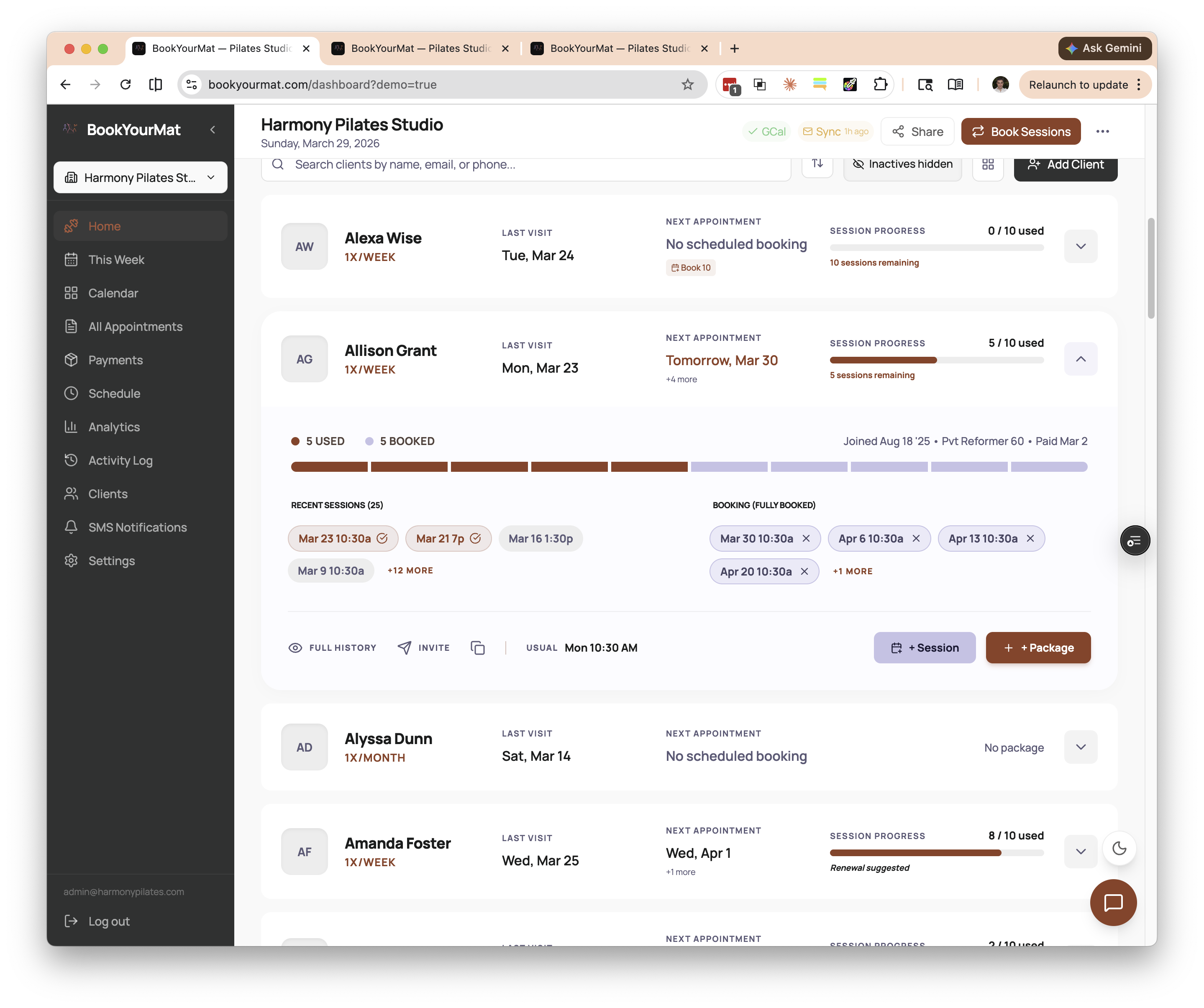 See every client's remaining sessions at a glance -- no spreadsheet lookups, no manual counting.
3. Group Class Management Feels Clunky
Acuity handles one-on-one appointments well. Group classes are a different story.
Managing a group Pilates or yoga class means tracking capacity per slot, handling waitlists, seeing at a glance who's registered for today's 9 AM Reformer class, and managing the reality that some clients in that class are on different packages with different session counts. Acuity's group scheduling exists, but it often feels bolted on rather than built in.
Common pain points include: difficulty seeing how full each class is across the week, no clear connection between a group booking and the client's package balance, and limited visibility into attendance patterns that would help you optimize your schedule. You end up with a calendar that shows you time slots but doesn't give you the operational insight you actually need.
A tool designed for studios treats group classes as a core workflow. It connects each attendance to the right package, shows real-time capacity, and gives you the kind of bird's-eye view that helps you decide whether to add a second Thursday evening class or consolidate your underperforming time slots.
4. Payment Tracking Is Disconnected from Scheduling
Here's where things really start to break down for growing studios: payments live in one place, and scheduling lives in another.
Your clients pay through Venmo, PayPal, Zelle, credit cards, or bank transfers. Each of those payments corresponds to a package purchase, which corresponds to a certain number of sessions, which should be tracked against actual attendance. In Acuity, there's no native way to connect a Venmo payment to a session package and then automatically track that package as the client books classes.
So you become the integration layer. You receive a Venmo notification, note the amount, figure out which package it corresponds to, update your spreadsheet, and hope you don't forget a step. Multiply this by 30 or 40 clients and you're spending hours each week on what should be automatic bookkeeping.
Purpose-built studio software treats payments and packages as connected concepts. When a payment comes in -- regardless of the payment method -- it gets matched to a client and a package type. Sessions are credited automatically. The client can see their balance. You can see your revenue. Nobody has to manually stitch anything together.
5. Your Clients Keep Asking How Many Sessions They Have Left
When clients repeatedly ask you the same operational question, that's not a client problem -- it's a systems problem. If your software gave them visibility into their own account, they wouldn't need to ask.
Acuity does let clients view their remaining package balance through a "Manage codes" menu in their account. But there's no dashboard that prominently shows remaining sessions at a glance, no session history timeline, and no automatic notification when a package is running low. The experience is transactional rather than informational.
This creates friction on both sides. Clients feel uncertain about their purchase. You feel the weight of being the single source of truth for dozens of accounts. And when a disagreement comes up -- "I thought I had three sessions left, not two" -- there's no shared record to point to.
A studio tool with a client portal solves this cleanly. Clients log in and see exactly what they've purchased, what they've used, and what remains. This isn't a nice-to-have feature; it's the kind of transparency that builds trust and reduces the volume of administrative back-and-forth that drains your energy.
What to Look for in a Studio-Specific Tool
If these signs resonate, you're not looking for another general-purpose scheduler. You're looking for a tool that understands the operational model of a session-based studio. Here's what matters:
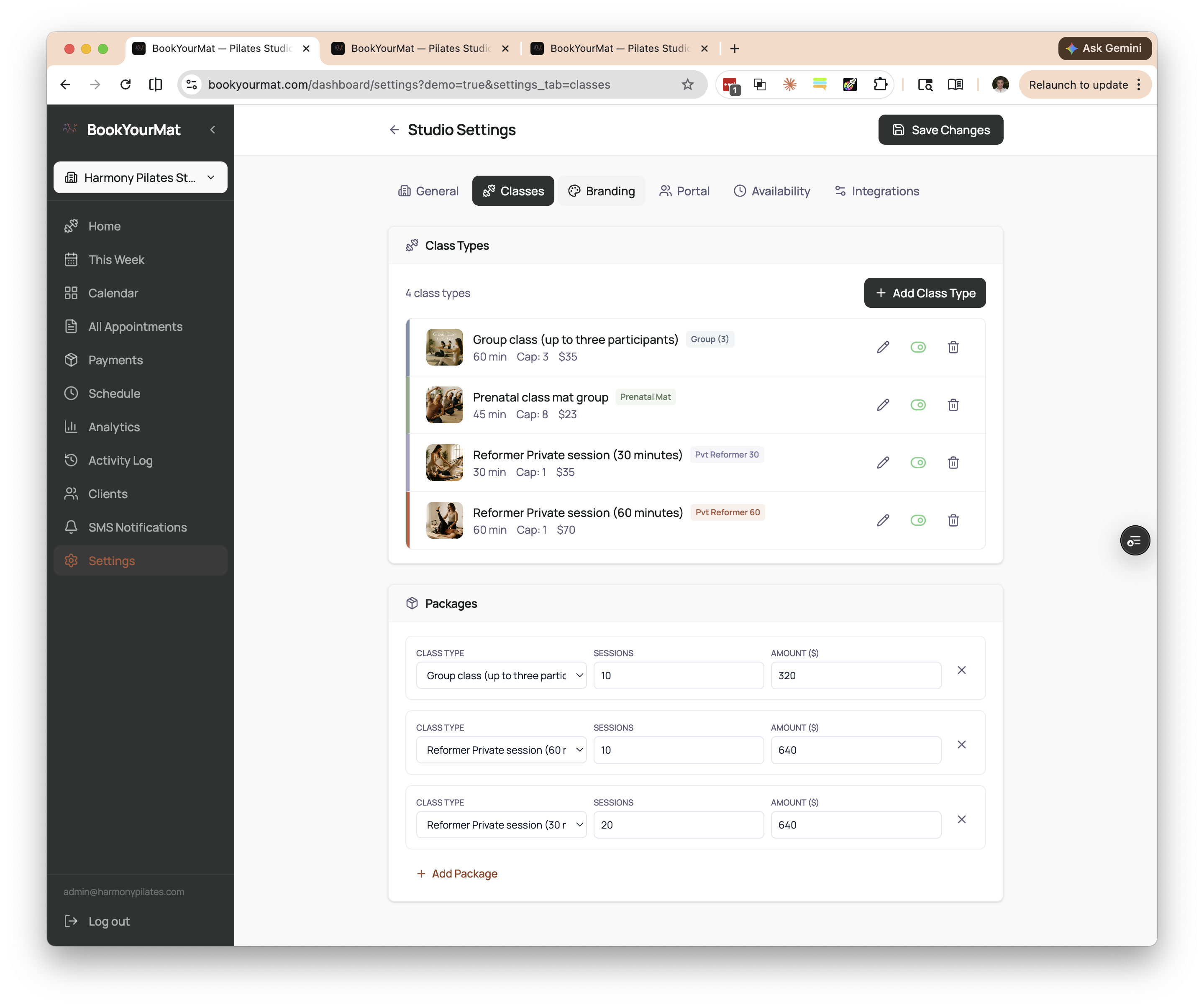 Purpose-built package management -- configure class types and packages as first-class concepts, not bolted-on extras.
- Native package management. Packages should be a core data model, not an afterthought. The system should track purchases, session counts, usage, and remaining balances automatically.
- Unified payment and scheduling. Payments should connect to packages, and packages should connect to bookings. One system, one source of truth.
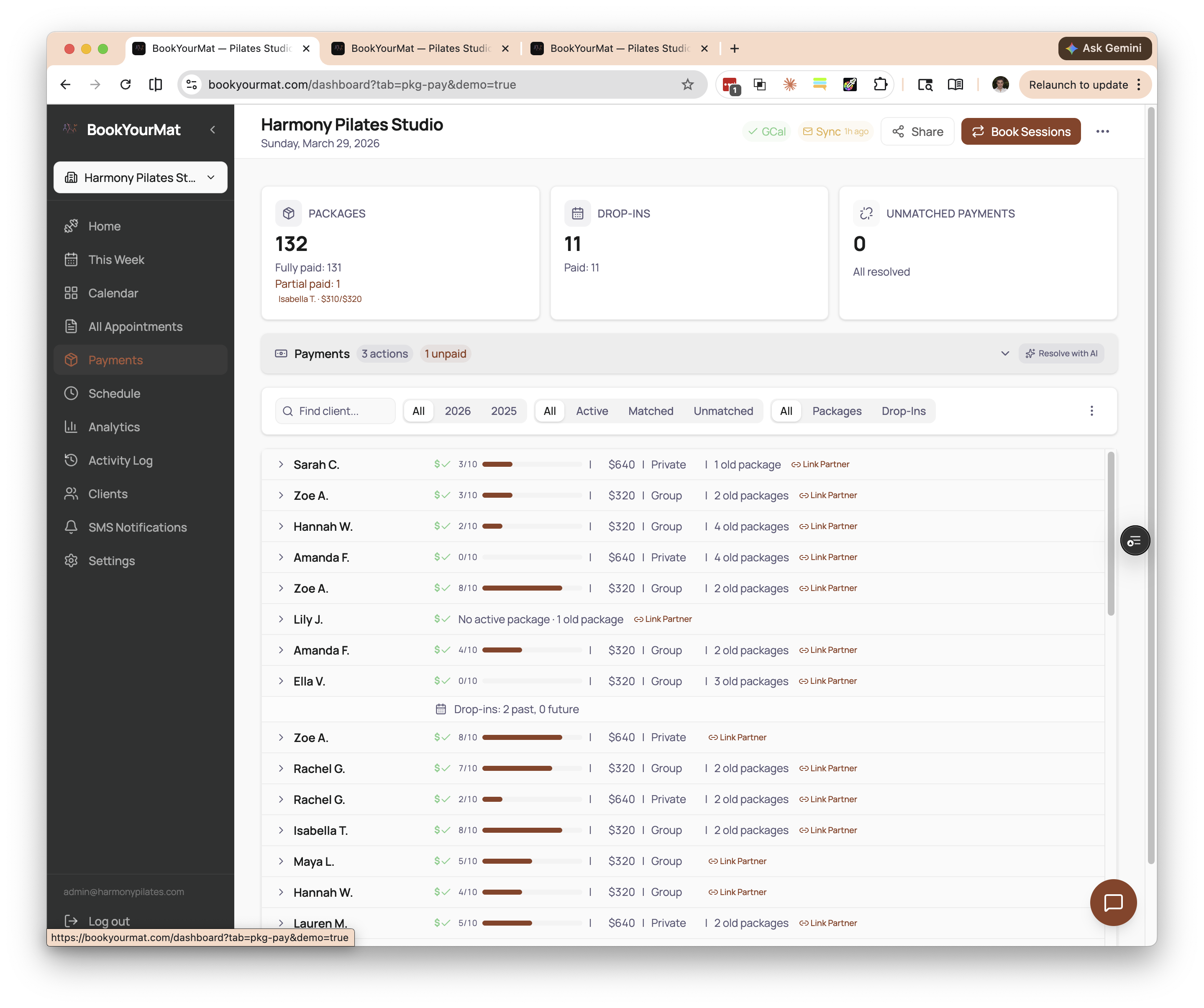 Payments connected to scheduling -- every transaction is linked to a client and a package, creating a single source of truth.
- Group class support built in. Capacity tracking, attendance logging, and package deduction should all work seamlessly for group classes, not just one-on-one appointments.
- Client visibility. Your clients should be able to see their own session balances, upcoming bookings, and history without asking you.
- Flexible payment method support. Studios get paid through many channels. Your tool should accommodate that reality rather than forcing everything through a single payment processor.
A Better Fit for Your Studio
BookYourMat was built specifically for studios that have hit the limits of general-purpose scheduling tools. It handles session packages, group classes, multi-channel payment tracking, and client-facing portals out of the box -- because those aren't edge cases for studios; they're the core workflow.
If you're spending more time managing your tools than managing your studio, it might be time to switch to something that was designed for the way you actually work. Take a look at BookYourMat and see if it fits.