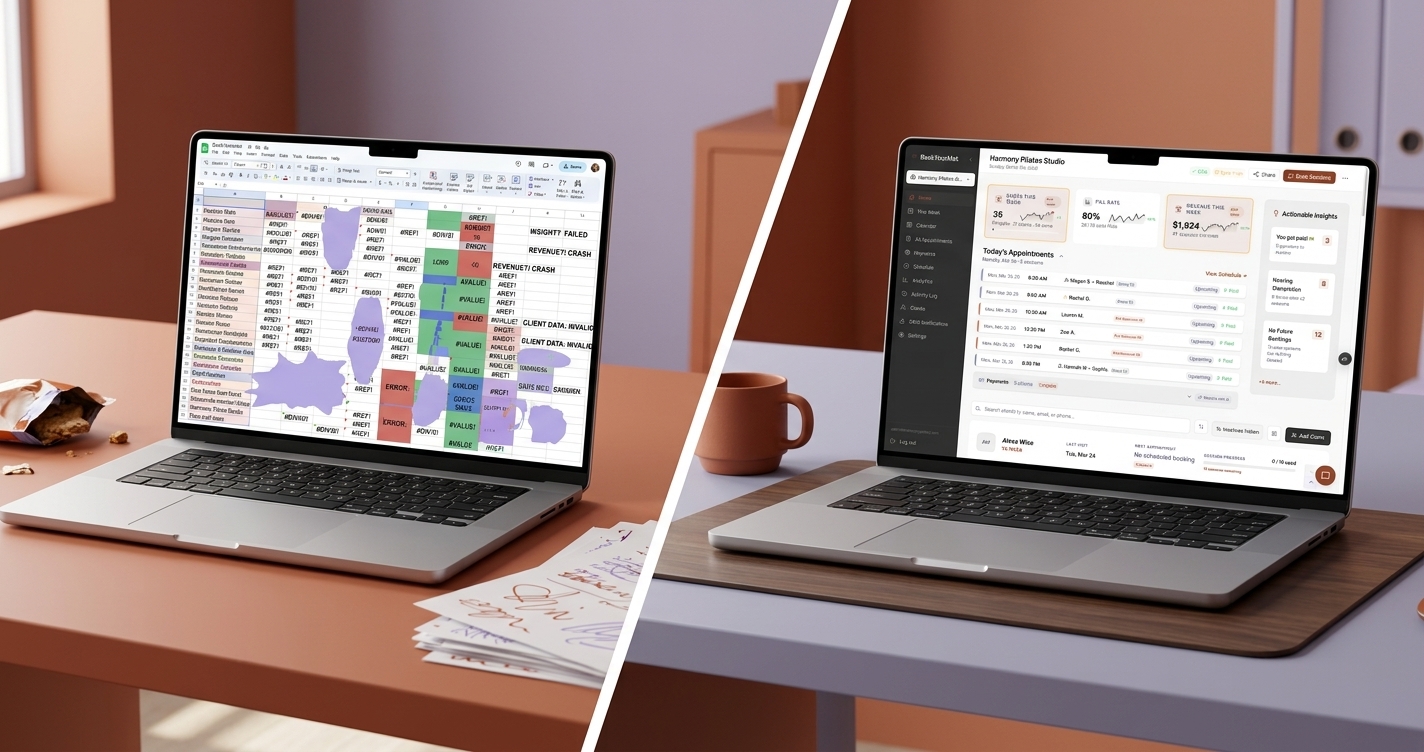
You started your Pilates studio because you love teaching movement, not because you dreamed of maintaining a color-coded Google Sheet at midnight. But somewhere between your tenth and fortieth client, that simple spreadsheet became the thing you dread most about running your business.
If that sounds familiar, you are not alone. Most independent Pilates instructors and small studio owners start with spreadsheets. They are free, flexible, and good enough when your entire client roster fits on one screen. The problem is that spreadsheets do not scale with your studio, and by the time you realize it, the damage is already accumulating quietly in the background.
The Spreadsheet Journey: From Simple to Unmanageable
The pattern is remarkably consistent. You start with a single tab tracking client names, package types, and remaining sessions. Maybe you add a column for payment dates. Then a tab for your weekly schedule. Then another tab for expired packages, and another for clients who owe you money.
Before long, you are maintaining a workbook with six tabs, conditional formatting rules you cannot remember creating, and a formula in cell G47 that breaks every time you insert a new row. You spend Sunday evenings reconciling Venmo payments against your session log, and you still are not sure whether Sarah has two sessions left or three.
The spreadsheet did not fail you overnight. It failed you gradually, one missed detail at a time.
Where Spreadsheets Quietly Fall Apart
The most dangerous thing about a spreadsheet is that it fails silently. There is no alert when something goes wrong. Here are the failure modes that studio owners encounter most often:
Wrong session counts. You forgot to decrement a client's remaining sessions after last Tuesday's class. Or you decremented twice because you were not sure if you already updated it. Now your records say a client has sessions remaining when they do not, or vice versa. Either way, someone ends up frustrated.
Missed payments. A client Venmo'd you on Thursday. You meant to log it but got busy. Two weeks later, you are not sure if they paid for this package or the last one. Chasing down payment history across your bank app and your spreadsheet is tedious and awkward.
No reminders. Spreadsheets do not tap you on the shoulder. They will not tell you that a client's package is about to expire, that someone has not booked in three weeks, or that a payment is overdue. You either remember to check, or you do not.
One mistake cascades. Delete the wrong row, drag a formula incorrectly, or sort one column without sorting the others, and your data is silently corrupted. You might not notice for weeks.
No client-facing view. Your clients cannot see how many sessions they have left. So they ask you. Repeatedly. Often right before or after class, when you are trying to focus on teaching.
What Pilates Studio Software Actually Solves
Modern studio management software is not about replacing your spreadsheet with a fancier spreadsheet. It is about eliminating the manual tracking that eats your time and creates errors. Here is what good pilates studio software handles that a spreadsheet never will:
Automated package tracking. When a client books a session, their remaining count updates automatically. When they buy a new package, sessions are added. No manual decrementing, no formula errors, no "wait, did I already mark that one?"
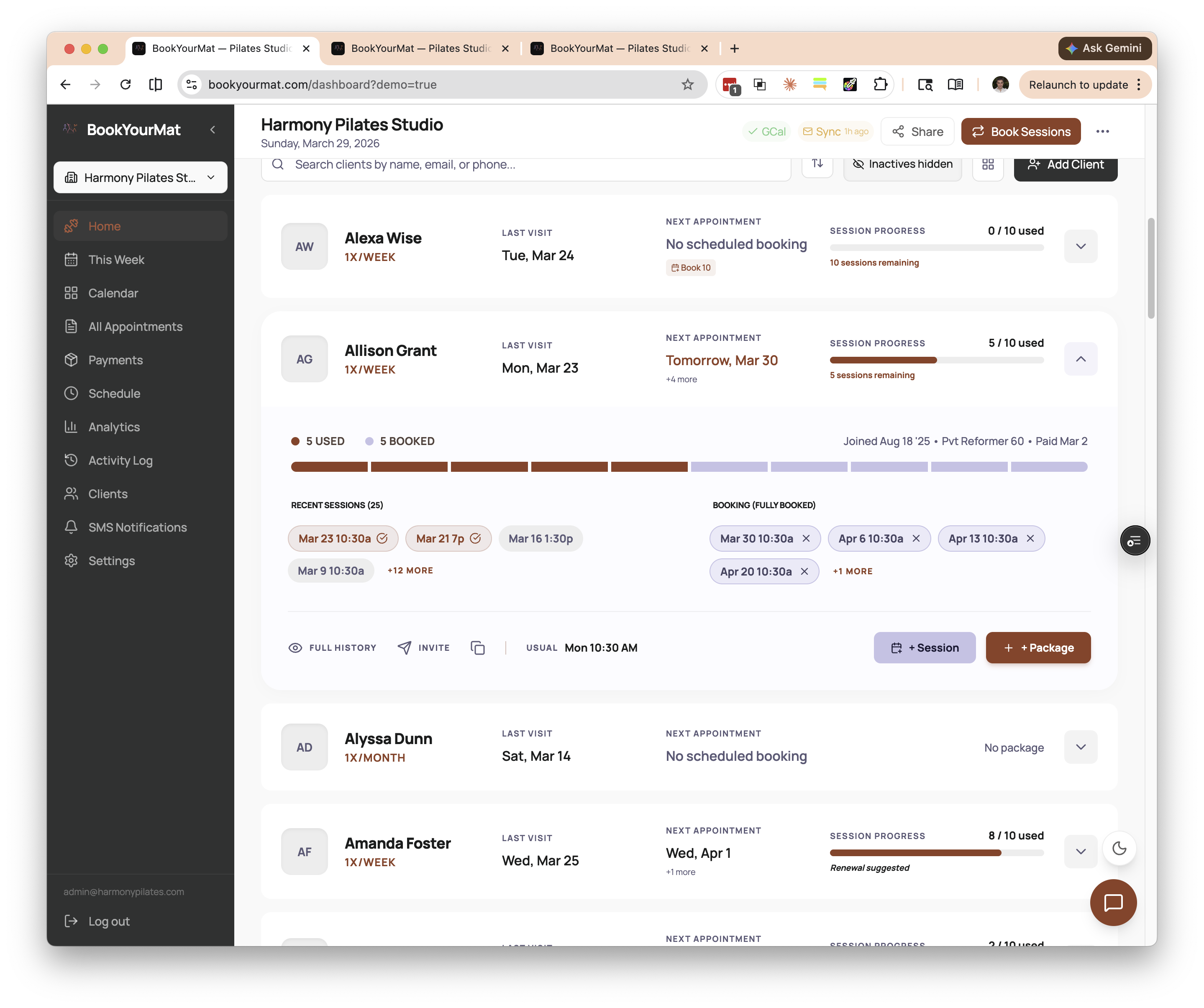 At-a-glance package tracking for every client -- session progress bars show exactly where each person stands, no spreadsheet required.
Payment matching. Instead of cross-referencing your bank app with your session log, studio package management software can match incoming payments to the right client and the right package. Some tools even detect payments automatically from your transaction feed, so you do not have to enter them by hand.
Client self-service portals. Your clients can log in and see their own session balance, upcoming bookings, and payment history. This alone eliminates a surprising number of between-class conversations that start with "Hey, how many sessions do I have left?"
Automated reminders and notifications. The software can nudge clients when their package is running low, confirm upcoming sessions, or follow up when someone has not booked in a while. These are things you would do manually if you had the time, but you do not.
A single source of truth. Everything lives in one place. Session history, payments, package balances, client contact info. No more cross-referencing tabs or wondering which version of the spreadsheet is current.
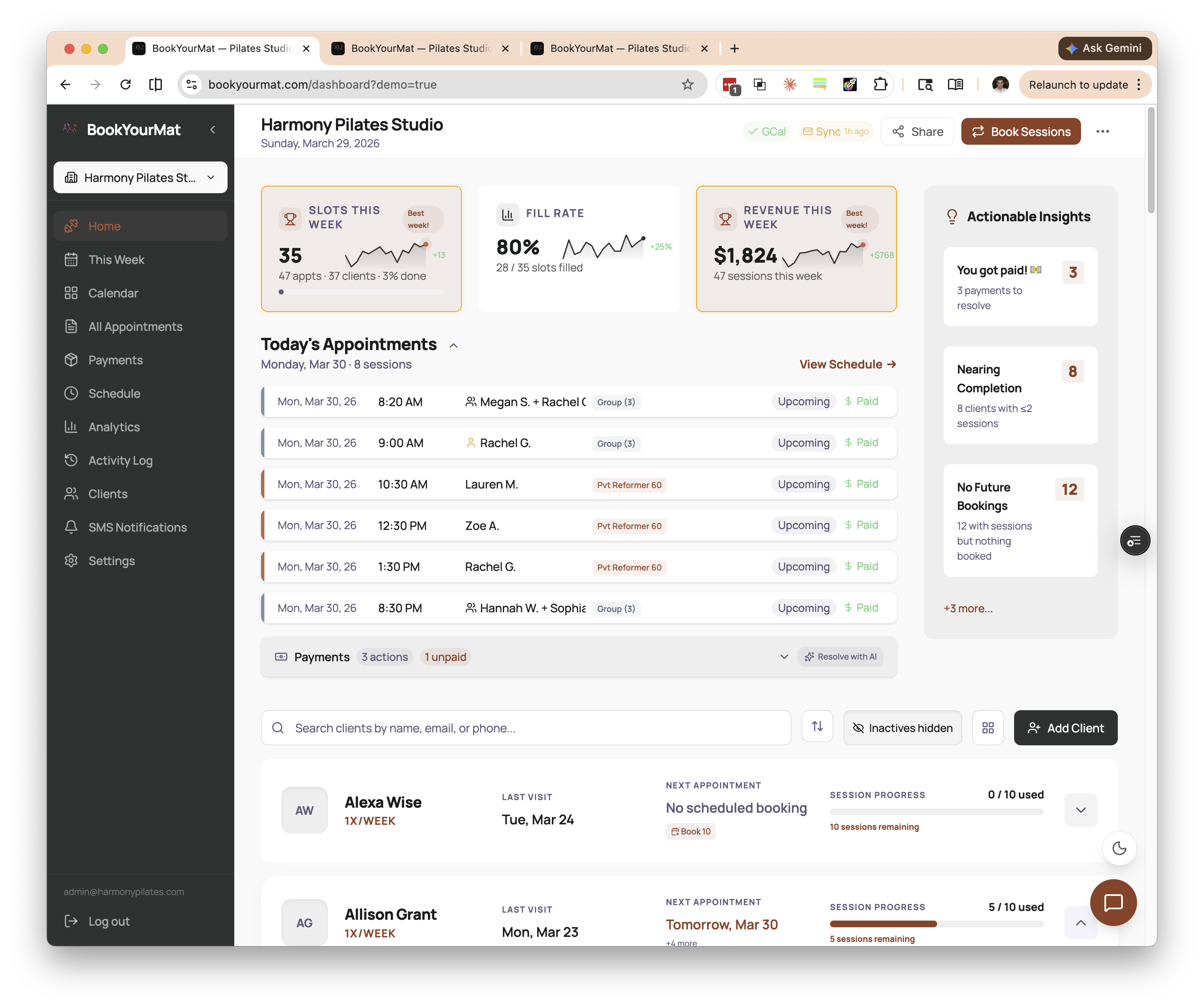 Everything in one place -- your dashboard shows today's schedule, key metrics, and actionable insights without switching between tabs or apps.
Signs You Have Outgrown Your Spreadsheet
Not every instructor needs software on day one. If you have five clients and teach a few classes a week, a simple spreadsheet might genuinely be fine. But here are the signals that you have crossed the threshold:
- You have more than roughly 15-20 active clients and you are losing track of who has paid and who has not.
- You spend more than 30 minutes a week on administrative tracking that is not teaching, marketing, or client communication.
- A client has disputed a session count and you were not confident in your own records.
- You have accidentally let a client attend sessions beyond their package because you forgot to update your sheet.
- You dread opening your spreadsheet. This one matters more than you might think.
If two or more of these resonate, you are past the point where a spreadsheet is saving you time. It is costing you time, and possibly money.
What to Look For in Studio Software
The market for studio management tools ranges from massive platforms built for gym chains to lightweight tools designed for independent instructors. If you run a small Pilates studio, here is what actually matters:
Simplicity over feature count. You do not need a platform with 200 features. You need one that handles packages, payments, and scheduling without requiring a training course. If the onboarding takes more than an afternoon, it is probably built for a bigger operation than yours.
Automatic payment matching. The ability to track client packages is table stakes. What separates good software from mediocre software is whether it can connect a payment to a client and a package without you manually entering every transaction. Look for tools that integrate with your actual payment flow, whether that is Venmo, Zelle, credit cards, or bank transfers.
A client portal. Your clients should be able to check their own session balance and booking history. This is not a luxury feature. It is the single biggest time-saver for a small studio owner, because it eliminates the most frequent question you get asked.
Affordable pricing. Enterprise platforms that charge hundreds of dollars per month are built for studios with front desk staff and multiple locations. If you are a solo instructor or run a small studio, look for pricing that reflects your scale.
Clean data migration. If you are coming from a spreadsheet or another platform, the transition should not mean losing your history. Good software will help you bring your existing client and package data along.
Ready to Make the Switch?
BookYourMat was built specifically for independent Pilates and yoga instructors who have outgrown their spreadsheets but do not need an enterprise platform. It handles package tracking, payment matching, client portals, and session management in a clean, simple interface designed for studios with 15 to 60 clients. If your spreadsheet is starting to work against you instead of for you, it might be time to take a look.